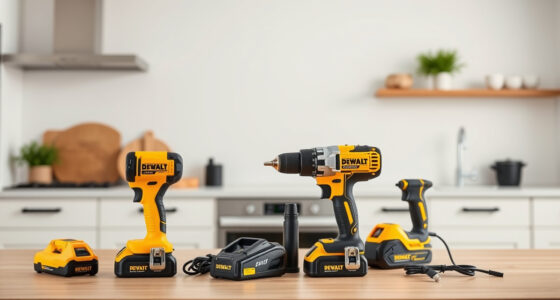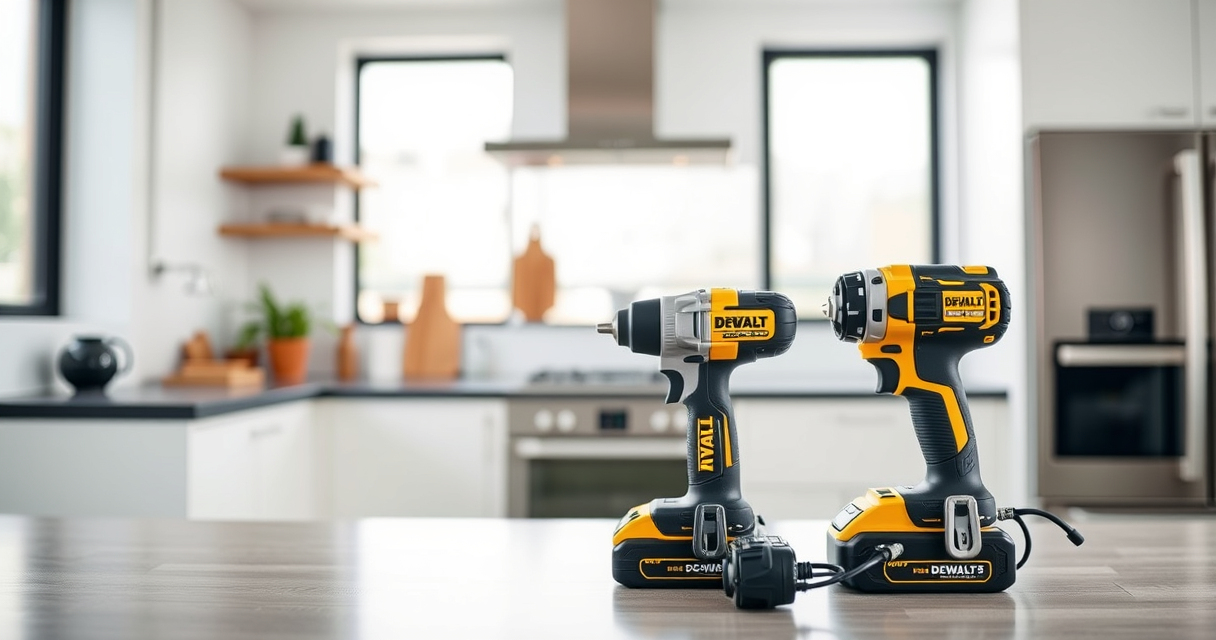
Proper maintenance of your DEWALT power tools ensures longevity, optimal performance, and safety during use. Whether you’re a professional tradesperson or a DIY enthusiast, understanding routine upkeep and troubleshooting techniques can save you time and money. This guide provides clear, step-by-step instructions tailored specifically for DEWALT tools, focusing on common issues, preventive care, and safety tips to keep your equipment running smoothly.
Listen free for 30 days with Audible
Thousands of audiobooks and originals — cancel anytime.
Start your free trialAs an affiliate, we earn on qualifying purchases.
We’ll cover essential maintenance tasks for the DEWALT 20V MAX Cordless Drill and Impact Driver, including battery care, cleaning, and bit management, along with troubleshooting advice for common problems. A well-maintained tool not only performs better but also reduces the risk of accidents, so follow these practical tips to keep your DEWALT power tools in peak condition.
Key Takeaways
| Battery Care | Regularly clean and store batteries properly to extend their lifespan. |
| Cleaning | Keep your tools free of dust and debris to prevent overheating and wear. |
| Lubrication | Apply appropriate lubricants to moving parts to ensure smooth operation. |
| Bit Maintenance | Check and replace worn or damaged bits for optimal drilling performance. |
| Troubleshooting | Identify common issues like battery charge problems or motor noise early. |

DEWALT 20V MAX Cordless Drill and Impact Driver, Power Drill Brushless 2-Tool Power Tool Combo Kit, Includes 2 Batteries, Charger and Bag (DCK277D2)
- Compact Size: 7.6-inch lightweight design for tight spaces
- Ergonomic Grip: Comfortable, balanced control for extended use
- Bright LED Light: Illuminates dark areas with 20-second delay
As an affiliate, we earn on qualifying purchases.
Battery Maintenance and Troubleshooting
- Start by inspecting your battery for any signs of damage, corrosion, or dirt. Use a dry cloth to wipe the contacts gently.
- Ensure your batteries are charged using a compatible DEWALT charger. Avoid overcharging; disconnect once fully charged.
- If your battery isn’t holding a charge, try cleaning the contacts with a small amount of rubbing alcohol and a soft cloth. If problems persist, consider replacing the battery.
- Store batteries in a cool, dry place away from extreme temperatures to prevent capacity loss over time.
- For best performance, regularly check the LED indicators on your batteries to monitor charge status during use.
Proper battery care is essential for consistent tool performance and safety. Never expose batteries to water or excessive heat, as this can cause damage or pose safety hazards.

DEWALT Drill Bit Set, 3-Flats Shank,14-Piece, 135 Degree Split Point, for Plastic, Wood and Metal (DWA1184)
- Tip Design: 135° Split Point to Reduce Walking
- Material: High-Speed Steel for Versatility
- Durability: Tapered Web for Breakage Resistance
As an affiliate, we earn on qualifying purchases.
Cleaning and General Upkeep of Your DEWALT Tools
- Unplug or remove batteries before cleaning your tools. Use a dry or slightly damp cloth to wipe down the exterior surfaces.
- Remove dust and debris from vents, switches, and moving parts to prevent overheating or jamming.
- Use compressed air to blow out dust from hard-to-reach areas, especially around the motor vents and chuck.
- Inspect the tool’s cord (if applicable) and power switch for signs of wear or damage. Replace or repair as needed.
- Lubricate moving parts such as the chuck or trigger mechanisms with a few drops of light machine oil if recommended by the manufacturer.
Routine cleaning not only prolongs your tool’s lifespan but also ensures safety and optimal operation. Always handle cleaning with care and avoid using harsh chemicals that could damage plastic or rubber components.
Maintaining and Replacing Drill Bits and Accessories
- Regularly inspect drill bits for signs of wear, such as dullness, chipping, or bending. Replace damaged bits promptly to prevent injury and ensure clean cuts.
- Clean bits after use by wiping off debris and applying a light coating of oil to prevent rust, especially if storing for an extended period.
- Use the correct size and type of bit for your material and task. For example, use high-speed steel bits for metal and split-point bits for wood and plastic.
- Secure bits tightly in the chuck to prevent slipping during operation. Use the quick-release mechanism to change bits efficiently.
- Store bits in a dedicated case or organizer to keep them organized and protected from damage.
Proper bit maintenance enhances safety, accuracy, and tool longevity. Avoid forcing bits into tight spots or using excessive pressure, which can cause breakage or damage to your drill.
Troubleshooting Common Issues
- Tool not turning on: Check if the battery is fully charged and properly seated. Inspect for any visible damage or loose connections.
- Reduced power or performance: Clean the ventilation areas and ensure the battery is fresh. Replace the battery if it no longer holds a charge effectively.
- Unusual noise or vibration: Stop using the tool immediately. Inspect the chuck and bits for damage, and check for debris or obstructions.
- Overheating: Allow the tool to cool down before further use. Clean vents and ensure adequate airflow.
- Battery overheating or swelling: Discontinue use and replace the battery. Store in a cool, dry place away from direct sunlight.
Early detection of these issues can prevent further damage and ensure safe operation. Regular maintenance combined with prompt troubleshooting keeps your DEWALT tools reliable and safe.
Safety Tips for Maintaining Your Power Tools
- Always disconnect power sources before cleaning or performing maintenance.
- Wear safety glasses and gloves when handling batteries or cleaning your tools.
- Avoid using damaged tools—replace or repair any parts that show signs of wear or damage.
- Use the correct accessories and follow manufacturer instructions to avoid accidents.
- Store tools in a dry, secure environment, out of reach of children and pets.
Safety should always be your top priority. Proper maintenance not only extends your tool’s life but also minimizes the risk of accidents and injuries.
The Products in This Guide

DEWALT 20V MAX Cordless Drill and Impact Driver
- ✔ Tool Type: Cordless Drill & Impact Driver
- ✔ Battery Capacity: 5Ah
- ✔ LED Light: Yes

DEWALT Drill Bit Set
- ✔ Number of Pieces: 14
- ✔ Material: High-Speed Steel
- ✔ Tip Design: Split Point
DEWALT 20V MAX Cordless Drill and Impact Driver
The DEWALT 20V MAX Cordless Drill and Impact Driver (DCK277D2) is a versatile, lightweight, and ergonomic combo kit. Its brushless motors provide efficient power, while the bright LED ensures visibility in dark spaces. Regular maintenance and troubleshooting help keep this tool performing at its best.
Pros:
- Compact and lightweight design
- Ergonomic comfort grip
- Bright LED light for visibility
- Includes 2 batteries and charger
Cons:
- Battery life may vary with heavy use
- Charging time can be lengthy for some users
- Limited to 20V MAX system accessories
Best for: Ideal for both DIYers and professionals needing reliable, portable power tools.
Not ideal for: Not suitable for heavy industrial applications or extended daily use without additional batteries.
Bottom line: A highly capable, user-friendly combo perfect for a range of projects with easy maintenance.
DEWALT Drill Bit Set
The DEWALT Drill Bit Set (DWA1184) offers 14 high-quality bits with a 135-degree split point, perfect for plastic, wood, and metal. Its durability and rust resistance make it a reliable addition to your toolkit.
Pros:
- Durable high-speed steel
- Split point design for reduced walking
- Corrosion-resistant coating
- Easy size identification
Cons:
- Limited to specific sizes included
- Not suitable for heavy-duty industrial use
- Requires proper storage to prevent loss
Best for: Ideal for general-purpose drilling in home or workshop settings.
Not ideal for: Not designed for heavy-duty or specialized industrial tasks.
Bottom line: A versatile, durable set that covers most common drilling needs.
Frequently Asked Questions
How often should I clean my DEWALT power tools?
It’s best to clean your tools after each use, especially if used in dusty or dirty environments. Regular cleaning prevents dust buildup and overheating, ensuring consistent performance.
Can I use third-party batteries with my DEWALT tools?
It is recommended to use DEWALT batteries designed for your specific model to ensure safety and optimal performance. Using incompatible batteries can void warranties and cause damage.
What is the best way to troubleshoot a tool that won’t turn on?
First, check the battery charge and connection. Ensure the battery is seated properly and fully charged. Inspect for any visible damage or debris and clean if necessary. If issues persist, seek professional repair.
How do I extend the lifespan of my drill bits?
Regularly inspect and replace worn bits, clean them after each use, and store them properly. Using the correct bit for each material and avoiding excessive force also helps prolong their life.
Is it safe to operate my DEWALT tools in wet conditions?
No, most DEWALT power tools are not waterproof. Operating in wet conditions can pose electrical shock hazards. Always use tools in dry environments and follow safety guidelines.
Keep Your DEWALT Tools in Prime Condition for Peak Performance
Maintaining your DEWALT power tools is vital for safety, efficiency, and longevity. Regular cleaning, proper storage, battery care, and prompt troubleshooting will ensure your tools remain reliable for all your projects. By following the detailed steps outlined in this guide, you can prevent common issues and extend the lifespan of your equipment, making every job safer and more productive.
Investing a little time in maintenance now saves you much more in repairs and replacements later. Remember, a well-maintained tool is a safe and effective tool.
Affiliate disclosure: As an Amazon Associate we earn from qualifying purchases. Prices and availability are accurate as of the time of publishing.
Flea & tick season Picks
flea and tick prevention
As an affiliate, we earn on qualifying purchases.