
If your DEWALT power tool is overheating frequently, it can be frustrating and may indicate underlying issues that need addressing. Overheating not only reduces the tool’s lifespan but can also pose safety risks. Fortunately, with a few simple troubleshooting steps, you can often resolve the problem and restore your tool’s performance.

Get business pricing on garage and car supplies
- Business-only prices and quantity discounts
- Tax-exempt purchasing
- Multiple users, one account, clear invoices
In this guide, we’ll walk you through practical, safe, and effective methods to identify the causes of overheating and how to fix them, focusing on the DEWALT 20V MAX Cordless Drill and Impact Driver. Always remember to prioritize safety and disconnect your tool from power before attempting any repairs or inspections.
Key Takeaways
| Overheating causes | Poor ventilation, overuse, or damaged components |
| Safety first | Always disconnect power before troubleshooting |
| Regular maintenance | Cleaning and inspecting can prevent overheating |
| Battery check | Ensure batteries are properly charged and in good condition |
| Proper usage | Avoid prolonged use beyond recommended duty cycles |
Step 1: Disconnect and Inspect the Tool
- Ensure your DEWALT tool is turned off and unplugged from any charger or power source. For cordless models, remove the battery to prevent accidental activation.
- Visually inspect the tool for dust, debris, or obstructions around vents, motor housing, and cooling fins. Clean these areas with compressed air or a soft brush to improve airflow.
- Check for any visible damage, such as cracked casing, worn brushes, or loose parts that may cause malfunction and heat buildup.
Step 2: Check the Batteries
- Ensure your batteries are fully charged and not swollen or damaged. Use a compatible DEWALT charger to verify charge levels.
- If the batteries are old or have been heavily used, consider testing with a new set to see if overheating persists.
- Replace any faulty batteries before further troubleshooting, as poor power delivery can cause the motor to overheat.
Step 3: Allow the Tool to Cool and Rest
If the tool has recently overheated, give it sufficient time to cool down naturally. Overuse or continuous operation can lead to heat buildup, so avoid running the tool for extended periods without breaks.
During rest periods, check for excessive vibration or unusual sounds that might indicate internal issues.
Step 4: Test the Tool Under Controlled Conditions
- Reinsert the battery and run the tool in a controlled environment, avoiding prolonged use.
- Use a lower speed setting if available to reduce heat generation.
- Monitor the temperature and operation carefully. If it heats up quickly again, further internal inspection may be necessary.
Step 5: Internal Inspection and Maintenance
If overheating persists, consider opening the casing for a deeper inspection. Only proceed if you are comfortable with basic electronics and tool repair.
Look for worn brushes, clogged vents, or signs of motor overheating. Replace brushes if worn beyond recommended length; clean cooling fins and vents thoroughly.
Use manufacturer-approved parts to ensure safety and compatibility.
Tips and Warnings for Safe Troubleshooting
- Always disconnect the battery before opening the tool or inspecting internal parts.
- Wear safety goggles and gloves when cleaning or inspecting internal components.
- Do not use excessive force when removing parts or brushes—damage can worsen overheating issues.
- If unsure about internal repairs, consult a professional technician or contact DEWALT customer service.
The Products in This Guide

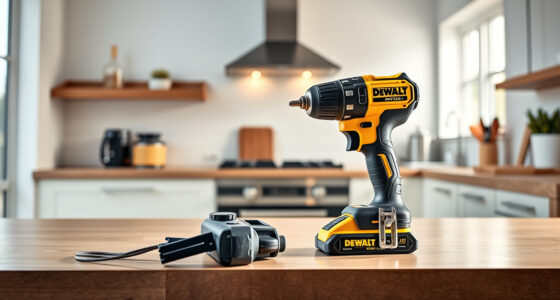
DEWALT 20V MAX Cordless Drill and Impact Driver
- ✔ Color: Black & Gold
- ✔ Dimensions: 7.6 inches front-to-back
- ✔ Control: Variable speed trigger

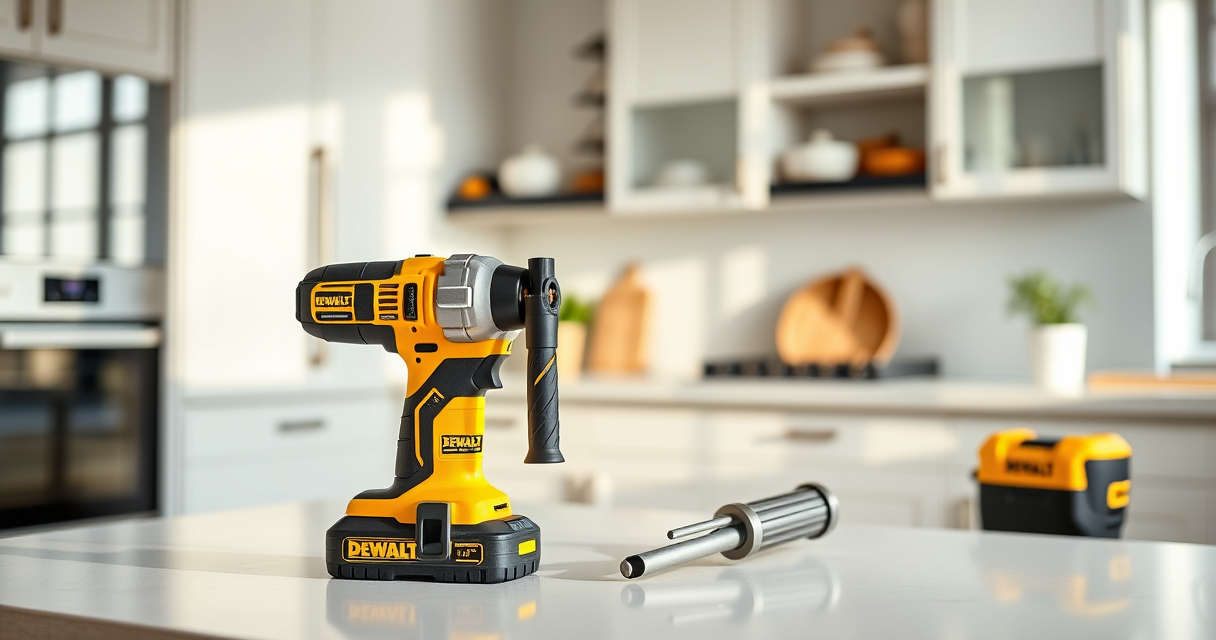
DEWALT Drill Bit Set
- ✔ Length: Different lengths included
- ✔ Color: Black & Gold
- ✔ Compatibility: All standard drills
DEWALT 20V MAX Cordless Drill and Impact Driver
The DEWALT 20V MAX Cordless Drill and Impact Driver set is a versatile and reliable choice for both DIYers and professionals. Its compact design, ergonomic grip, and brushless motor deliver efficient performance while minimizing overheating risks. Proper maintenance and troubleshooting can keep your tool running smoothly for years.
Pros:
- Lightweight and compact design
- Brushless motor reduces heat build-up
- Includes 2 batteries for extended use
- Bright LED for dark workspaces
Cons:
- Can overheat with continuous heavy use
- Requires proper cleaning and maintenance
- Battery life depends on workload
Best for: Ideal for tight spaces and detailed projects
Not ideal for: Not suitable for prolonged heavy-duty applications without breaks
Bottom line: A dependable, versatile cordless drill and impact driver set with built-in features to minimize overheating when used properly.
DEWALT Drill Bit Set
Complement your DEWALT drill with this 14-piece black and gold drill bit set. Its durable high-speed steel construction and 135-degree split point tip make drilling into various materials smooth and efficient, reducing strain on the motor and preventing overheating caused by improper bits.
Pros:
- High-speed steel construction
- Reduced walking with split point tip
- Easy size identification
- Corrosion-resistant coating
Cons:
- Limited to bit sizes included
- Not suitable for heavy-duty industrial use
- Requires proper bit maintenance
Best for: Perfect for general drilling projects in wood, plastic, and metal
Not ideal for: Not recommended for extreme industrial drilling
Bottom line: A versatile drill bit set that enhances your drilling efficiency and minimizes overheating issues.
Frequently Asked Questions
Why does my DEWALT drill overheat so quickly?
Overheating can be caused by poor ventilation, prolonged use without breaks, damaged brushes, or excessive debris blocking the vents. Regular maintenance and proper usage can help prevent this.
Can I continue using my DEWALT drill after it overheats?
It’s best to let the tool cool down completely before using it again. Continuing operation while hot can damage internal components and reduce the lifespan.
How often should I clean the vents of my DEWALT tool?
Clean the vents at regular intervals, especially after heavy use or working in dusty environments, to ensure proper airflow and cooling.
What should I do if my tool keeps overheating despite cleaning?
Check the brushes and internal motor components for wear or damage. Consider consulting a professional technician or contacting DEWALT customer service for repairs.
Are there specific batteries that cause overheating issues?
Old or damaged batteries may cause the tool to work harder, generating excess heat. Use only DEWALT-approved batteries and replace any that show signs of swelling or damage.
Keeping Your DEWALT Tools Cool and Reliable
Proper maintenance, regular cleaning, and mindful usage are key to preventing overheating in your DEWALT power tools. By following these troubleshooting steps and tips, you can extend the lifespan of your tools and ensure safe, efficient operation. Remember, if internal repairs are needed, always consult a professional or authorized service provider to avoid voiding warranties or causing further damage.
Affiliate disclosure: As an Amazon Associate we earn from qualifying purchases. Prices and availability are accurate as of the time of publishing.
Fall Picks
fall essentials
As an affiliate, we earn on qualifying purchases.