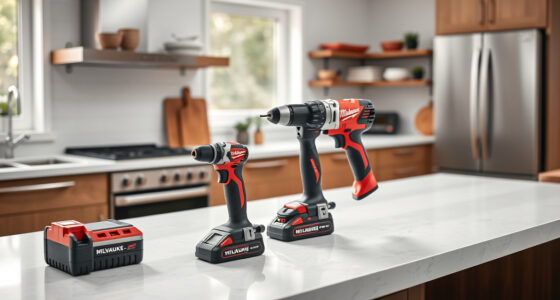
If your Milwaukee M18 charger keeps blinking red, it indicates a problem that needs addressing to ensure your power tools work reliably. This guide walks you through the most common causes and simple fixes, helping you get back to work quickly and safely.

Get business pricing on garage and car supplies
- Business-only prices and quantity discounts
- Tax-exempt purchasing
- Multiple users, one account, clear invoices
Before diving into troubleshooting, gather your charger and batteries, and ensure you follow safety precautions to prevent injury or further damage.
Key Takeaways
| Identify blinking patterns | Red blinking may indicate overheating, bad batteries, or charger faults. |
| Check batteries first | Faulty or incompatible batteries are common causes of blinking red lights. |
| Inspect for dirt and corrosion | Clean contacts and vents to prevent charging issues. |
| Ensure proper battery seating | Loose or improperly inserted batteries can cause blinking. |
| Test with known good batteries | Rule out faulty batteries by testing with others. |
Understanding the Blinking Red Light
The red blinking light on your Milwaukee charger typically signals a specific issue, such as battery temperature, compatibility, or internal faults. First, identify the blinking pattern—some chargers blink slowly, others rapidly, and some alternate between red and green. Consult the user manual or Milwaukee’s troubleshooting guide to interpret these signals accurately.
Common causes include overheating, degraded batteries, dirt on contacts, or charger malfunctions. Recognizing these patterns helps you diagnose the problem more efficiently.
Step 1: Safety Precautions and Initial Checks
- Unplug the charger from the power outlet before inspecting.
- Remove all batteries and examine their condition.
- Look for visible damage, swelling, or corrosion on contacts.
- Ensure the charger vents are clear of dust, dirt, or debris.
Always wear safety gloves if you notice damaged batteries or signs of overheating, and work in a well-ventilated area.
Step 2: Test and Inspect Batteries
- Insert a fully charged, compatible Milwaukee M18 battery into the charger.
- Observe the blinking pattern—if the red light persists, try a different known-good battery.
If the charger charges the second battery normally, the original battery may be faulty or degraded. Consider replacing it with a high-capacity or extended capacity battery like the Milwaukee 48-11-1850R or 48-11-1850R models which feature resistant housing and overload protection.
Step 3: Clean Contacts and Reset Charger
Use a dry, soft cloth or a brush to clean the metal contacts on both the batteries and the charger. If residue or corrosion is present, lightly dampen a cloth with isopropyl alcohol and wipe the contacts.
After cleaning, unplug the charger and wait for 30 seconds before plugging it back in. Reinsert the battery and see if the charging indicator resets to green or normal operation.
Step 4: Check for Overheating and Proper Ventilation
If the charger or battery feels excessively hot, turn off the charger and allow it to cool for at least 15-20 minutes. Overheating can cause the charger to blink red as a safety feature.
Ensure your workspace has good airflow, and avoid charging in direct sunlight or confined spaces. Using batteries with higher capacity, like the Milwaukee M18 REDLITHIUM HIGH Output XC 6.0Ah, can generate more heat under heavy use, so monitor temperature during charging.
Step 5: Update or Replace Components if Needed
If all previous steps fail, consider replacing the charger or batteries. Milwaukee chargers are generally durable, but internal faults can occur. Check if your charger is still under warranty or contact Milwaukee support for repairs.
Using high-quality batteries, such as the Milwaukee 48-11-1850R or the M18 XC5.0, can improve overall reliability and reduce charging issues.
Tips and Warnings
- Never force batteries into the charger; ensure they are compatible and seated correctly.
- Always use Milwaukee-approved batteries and chargers to prevent damage and voiding warranties.
- Avoid charging in damp or wet environments to prevent electrical hazards.
- If the charger continues blinking red after troubleshooting, consult Milwaukee customer support or a certified repair technician.
The Products in This Guide

Milwaukee M18 18V Cordless Power Tool Combo Kit
- ✔ Voltage: 18V
- ✔ Battery Type: Lithium-ion
- ✔ Number of Tools: 8

Milwaukee Shockwave 100pcs Impact Driver Bit Set Packout
- ✔ Material: Impact steel
- ✔ Set Size: 100 pieces
- ✔ Storage: Packout case
Milwaukee M18 18V Cordless Power Tool Combo Kit
The Milwaukee M18 18V Cordless Power Tool Combo Kit offers a comprehensive set of tools with long-lasting batteries and a reliable charger. It’s ideal for professional and DIY projects, providing power and durability across various applications.
Pros:
- Includes 8 essential tools
- Three batteries for extended work time
- Durable construction and high performance
- Compact tool bags for easy transport
Cons:
- Heavy kit for prolonged use
- Some tools may be overkill for casual users
- Charger may need troubleshooting with blinking red issues
Best for: Construction, remodeling, and maintenance professionals needing a versatile, durable tool kit.
Not ideal for: Casual DIYers with minimal tool needs or those on a tight budget.
Bottom line: A comprehensive and reliable power tool set perfect for demanding jobs.
Milwaukee Shockwave 100pcs Impact Driver Bit Set Packout
The Milwaukee Shockwave 100pcs Impact Driver Bit Set Packout offers a wide variety of bits designed for heavy-duty use, providing durability and versatility for professional projects.
Pros:
- High-quality impact bits
- Packout case for organization
- Includes a variety of sizes
- Durable construction
Cons:
- Bulkier case for minimalists
- Some bits may be more suited for specific tasks
- Not a replacement for specialized bits
Best for: Professional contractors and serious DIYers needing a comprehensive impact driver bit set.
Not ideal for: Casual users only needing a few basic bits.
Bottom line: A must-have accessory for maximizing impact driver performance.
Frequently Asked Questions
What does a blinking red light on my Milwaukee charger mean?
A blinking red light often indicates an issue such as overheating, a faulty battery, or a charger fault. Refer to the pattern of blinking for specific diagnostics.
Can I use any battery with my Milwaukee charger?
No, it’s important to use Milwaukee-compatible batteries, especially the M18 series, to ensure proper charging and safety.
Why does my Milwaukee charger blink red even after trying to charge?
Possible causes include a faulty battery, dirt on contacts, overheating, or internal charger issues. Troubleshooting steps include cleaning contacts, testing with different batteries, and ensuring proper ventilation.
How do I prevent my charger from overheating?
Charge in a well-ventilated area, avoid direct sunlight, and do not overcharge batteries. Using the correct, high-quality batteries also helps reduce heat buildup.
When should I replace my Milwaukee batteries?
If batteries no longer hold charge, show signs of swelling, or the charger consistently blinks red with them, it’s time to replace with new high-capacity batteries like the Milwaukee 48-11-1850R or XC models.
Keep Your Milwaukee Power Tools Charging Smoothly
Dealing with a blinking red light on your Milwaukee charger can be frustrating, but most issues are straightforward to diagnose and fix. By inspecting your batteries, cleaning contacts, ensuring proper ventilation, and replacing faulty components, you can restore reliable charging and keep your tools ready for action. Always prioritize safety and use high-quality accessories to extend the lifespan of your equipment.
Affiliate disclosure: As an Amazon Associate we earn from qualifying purchases. Prices and availability are accurate as of the time of publishing.
Fall Picks
fall essentials
As an affiliate, we earn on qualifying purchases.