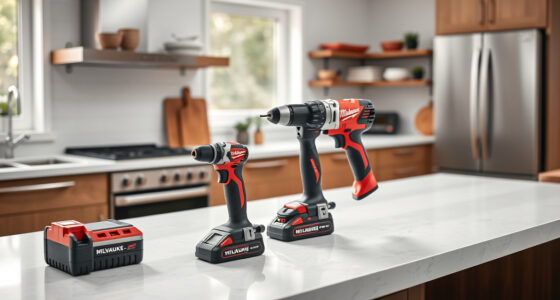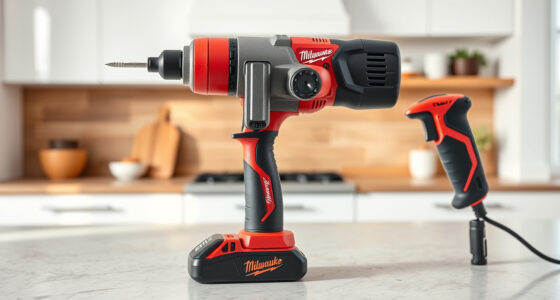
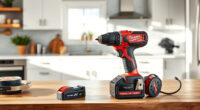
If your Milwaukee M18 charger is blinking red, it can be concerning, but often the issue is straightforward to resolve. The red blinking light typically indicates a problem with the battery, charging process, or charger itself. Understanding the common causes and knowing the proper troubleshooting steps will help you get your tools back in action swiftly and safely.

Get garage and car supplies delivered free — and shop member deals
- Fast, free delivery on millions of items
- Access to Prime Big Deal Days deals on October 6–7
- Prime Video, Amazon Music and more included
In this guide, we’ll walk through the most common causes for a blinking red light on your Milwaukee charger, detailed step-by-step fixes, and tips to prevent future issues. Always prioritize safety by unplugging the charger before inspecting or handling batteries and components.
Key Takeaways
| Identify blinking patterns | Different blinking patterns indicate specific issues. |
| Check battery compatibility | Ensure batteries are compatible and properly seated. |
| Inspect for damage | Look for signs of damage or debris on batteries and charger. |
| Use genuine Milwaukee batteries | Non-genuine batteries may cause charging issues. |
| Follow safe troubleshooting | Always unplug before inspecting or cleaning. |
Understanding the Blinking Red Light Pattern
The blinking red light on your Milwaukee charger is a diagnostic indicator. Typically, a slow blink might mean the battery is charging normally, while a rapid blink often signals an error. Refer to your charger’s user manual for specific blinking codes, as patterns can vary between models. Recognizing these patterns helps you identify whether the issue is with the battery, charger, or environmental factors.
Step-by-Step Troubleshooting Process
- Unplug the charger: Always disconnect the charger from power before inspecting to ensure safety.
- Remove the battery: Carefully detach the battery from the charger.
- Inspect the battery: Check for signs of damage, corrosion, dirt, or debris on the contacts. Clean contacts gently with a dry cloth if needed.
- Verify battery compatibility: Ensure the battery is a genuine Milwaukee M18 battery, as incompatible or third-party batteries may not charge properly.
- Re-seat the battery: Insert the battery firmly into the charger, ensuring it clicks into place.
- Reconnect power and observe: Plug the charger back in and watch the light pattern. If it turns solid green or charging begins, the issue is resolved.
- Test with a different battery: If available, try charging a different Milwaukee battery to determine if the problem lies with the battery or the charger.
Common Causes and How to Fix Them
- Overheating: Chargers may blink red if they overheat. Allow the charger to cool down in a well-ventilated area before retrying.
- Damaged or old batteries: Batteries that are past their lifespan or damaged may not charge. Replace with a new, genuine Milwaukee battery.
- Dirty contacts: Dirt or corrosion on contacts can prevent proper charging. Clean contacts gently with a dry cloth or a soft brush.
- Compatibility issues: Using incompatible or third-party batteries can cause error signals. Stick with Milwaukee brand batteries for optimal performance.
- Charger malfunction: If the charger itself is faulty, it may need professional repair or replacement.
Tips for Preventing Charger Red Blinking Issues
- Store batteries properly: Keep batteries in a cool, dry place to prevent damage and overheating.
- Use genuine batteries: Always use authentic Milwaukee batteries to ensure compatibility and safety.
- Regularly clean contacts: Keep contacts free of dirt and debris for reliable charging.
- Avoid over-discharging: Recharge batteries before they completely run out to prolong their lifespan.
- Monitor environmental conditions: Avoid charging in extreme temperatures or humid environments.
Safety Tips and Warnings
Always disconnect the charger from power before handling batteries. Never attempt to open or repair the charger or batteries yourself, as this can pose electrical hazards. Use only genuine Milwaukee accessories to ensure safety and optimal performance. If your charger continues to blink red after troubleshooting, contact Milwaukee customer support or a qualified service technician.
The Products in This Guide

Milwaukee M18 18V Cordless Power Tool Combo Kit
- ✔ Power Source: AC mains
- ✔ Charging Time: Approximately 30-60 minutes
- ✔ Indicators: Red blinking, green solid

Milwaukee Shockwave 100pcs Impact Driver Bit Set Packout
- ✔ Impact Rating: Impact rated
- ✔ Storage: Packout case
- ✔ Material: Steel
Milwaukee M18 18V Cordless Power Tool Combo Kit
The Milwaukee M18 18V Cordless Power Tool Combo Kit features a dependable charger that supports multiple batteries, making it ideal for demanding job sites. When blinking red, following proper troubleshooting steps ensures minimal downtime.
Pros:
- Fast charging with included rapid charger
- Compatible with all Milwaukee M18 batteries
- Durable design withstands tough environments
- Includes safety features to prevent damage
Cons:
- Blinking red may indicate various issues
- Requires careful inspection and maintenance
- Must use genuine batteries for best results
Best for: Professionals and DIYers needing reliable, quick charging for multiple tools
Not ideal for: Incompatible with non-Milwaukee batteries or third-party chargers
Bottom line: A dependable charger that, with proper care, keeps your Milwaukee tools powered efficiently.
Milwaukee Shockwave 100pcs Impact Driver Bit Set Packout
Complement your Milwaukee tools with this durable Impact Driver Bit Set, perfect for various heavy-duty applications. Its sturdy Packout case makes organization easy.
Pros:
- 100 impact-rated bits for different applications
- High-quality steel for durability
- Organized in a convenient Packout case
- Compatible with Milwaukee impact drivers
Cons:
- Limited to impact driver applications
- Bits may wear with heavy use
- Case size may be bulky for small toolkits
Best for: Tradesmen and DIYers needing versatile impact bits
Not ideal for: For users only requiring basic screwdriver bits
Bottom line: A comprehensive set that boosts efficiency and organization on any job site.
Frequently Asked Questions
What does a blinking red light mean on my Milwaukee charger?
A blinking red light typically indicates an error, such as overheating, incompatible battery, or a problem with the battery contacts. Refer to the blinking pattern to diagnose further.
Can I use third-party batteries with my Milwaukee charger?
It is recommended to use genuine Milwaukee batteries, as third-party batteries may not be compatible and can cause charging errors or damage.
How do I clean the contacts on my battery or charger?
Gently wipe the contacts with a dry, lint-free cloth or a soft brush to remove dirt, dust, or corrosion. Avoid using liquids or abrasive materials.
What should I do if my charger still blinks red after troubleshooting?
If troubleshooting steps do not resolve the issue, contact Milwaukee customer support or have the charger inspected by a qualified technician.
Is it safe to continue charging if the charger blinks red?
No, it’s safest to unplug the charger and inspect the components. Continuing to charge under fault conditions can cause damage or safety hazards.
Keep Your Milwaukee Power Tools Ready to Work
By understanding the causes behind a blinking red light on your Milwaukee charger and following the proper troubleshooting steps, you can quickly resolve common issues and keep your tools running smoothly. Regular maintenance, using genuine batteries, and safe handling practices will extend the lifespan of both your batteries and charger, ensuring reliable performance on every job.
Affiliate disclosure: As an Amazon Associate we earn from qualifying purchases. Prices and availability are accurate as of the time of publishing.
Fall Picks
fall essentials
As an affiliate, we earn on qualifying purchases.