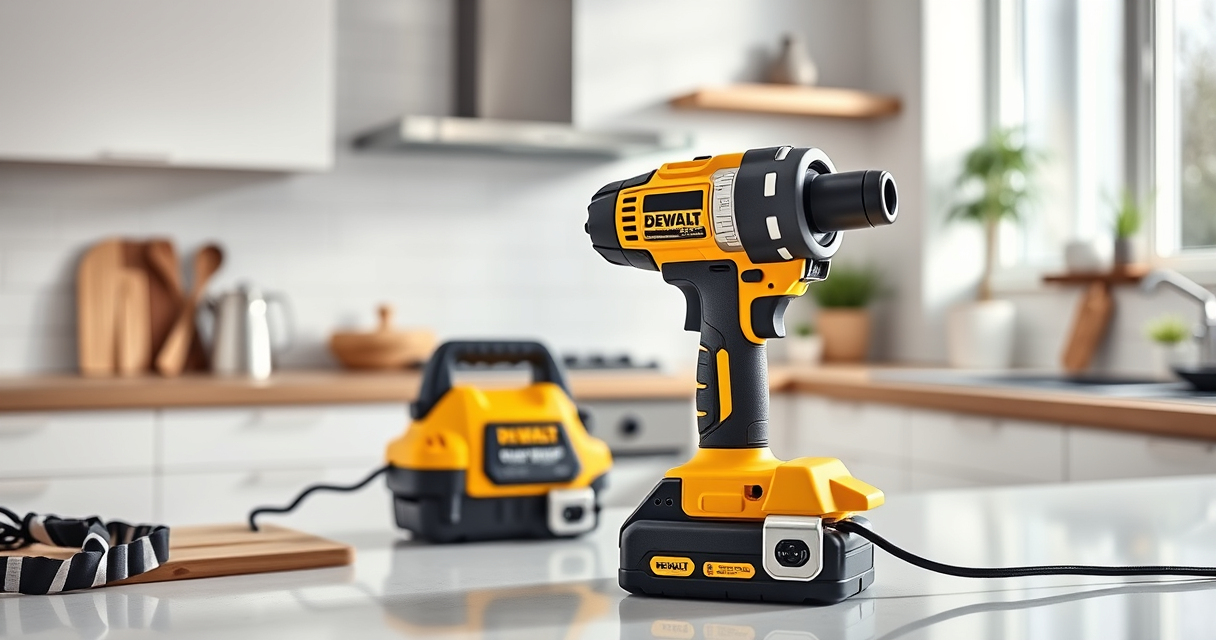

If your DEWALT cordless drill keeps the chuck from loosening or tightening properly, it can be frustrating and hinder your work. A stuck chuck often results from debris, rust, or worn-out parts, but with some careful troubleshooting, you can fix the issue yourself.

Get business pricing on garage and car supplies
- Business-only prices and quantity discounts
- Tax-exempt purchasing
- Multiple users, one account, clear invoices
This guide provides clear, safe steps to identify and resolve common chuck problems on your DEWALT 20V MAX Cordless Drill and Impact Driver. Whether you’re a DIY enthusiast or a professional, these tips will help restore your tool’s functionality efficiently.
Key Takeaways
| Identify the cause | Debris, rust, or worn-out parts may cause the chuck to stick. |
| Safety first | Always unplug or remove the battery before working on your drill. |
| Use proper tools | A punch or hammer, and lubricant like WD-40, are often needed. |
| Gentle force is key | Apply controlled force to loosen or tighten the chuck. |
| Regular maintenance | Cleaning and lubricating the chuck can prevent sticking issues. |
Assessing the Problem
Begin by inspecting your drill’s chuck to understand why it is stuck. Is it difficult to tighten or loosen? Does it feel jammed or sticky? Often, debris such as dust, dirt, or wood and metal shavings can get lodged inside, causing the chuck to seize. Rust formation from moisture can also contribute to the problem, especially if the tool has been stored in a humid environment.
Check if the chuck turns smoothly when you manually rotate it. If it feels gritty or resistant, cleaning and lubrication may resolve the issue. If it’s a mechanical failure or worn-out parts, replacement might be necessary.
Preparing for the Repair
- Unplug the drill from power or remove the battery to ensure safety.
- Gather necessary tools: a punch or small flat-head screwdriver, lubricant (like WD-40), and possibly a set of pliers.
- Clear a workspace and wear safety glasses to protect your eyes from debris or accidental slips.
- Inspect the chuck for visible damage or debris before proceeding.
Cleaning and Lubricating the Chuck
- Apply a generous amount of WD-40 or similar penetrating lubricant into the chuck’s opening.
- Allow the lubricant to sit for 5-10 minutes to loosen dirt, rust, or grime.
- Use a small brush or cloth to wipe away loosened debris.
- Attempt to manually rotate the chuck back and forth to free it. If it still resists, proceed to the next step.
- Lightly tap the outer part of the chuck with a rubber mallet or the handle of a screwdriver to help dislodge any stubborn deposits.
- Reapply lubricant if necessary and continue working the chuck to loosen it.
Loosening a Stuck Chuck
If cleaning and lubrication don’t free the chuck, the next step involves applying controlled force. Use pliers to grip the chuck carefully, ensuring you don’t damage the plastic or metal parts. Turn counterclockwise to loosen.
If it’s too tight, place a piece of cloth or rubber between the pliers and the chuck to prevent slipping. Sometimes, tapping lightly with a hammer on the back of the chuck while turning can help break free rust or debris.
Be gentle but persistent; avoid forcing it too hard to prevent damaging the mechanism.
Replacing Worn-Out Components
If the chuck remains stuck after cleaning and force, it might need replacement. Consult your DEWALT model’s user manual for instructions on removing and replacing the chuck.
In some cases, the internal mechanism may be worn or broken, requiring professional repair or replacement. If the chuck or its internal parts are damaged, consider purchasing a compatible replacement from DEWALT or a trusted supplier.
Regular maintenance, including cleaning and lubrication every few months, can prevent future sticking issues.
Final Checks and Maintenance Tips
After successfully freeing the chuck, rotate it several times to ensure smooth operation. Reassemble any disassembled parts and test the drill with a bit to confirm proper functionality.
For ongoing maintenance, keep the chuck clean and lubricated, and store your drill in a dry, protected environment. Periodic checks can extend the lifespan of your tool and prevent sticking problems.
The Products in This Guide

DEWALT 20V MAX Cordless Drill and Impact Driver
- ✔ Front-to-back length: 7.6 inches
- ✔ LED delay: 20 seconds
- ✔ Battery weight: 1.4 lbs

DEWALT Drill Bit Set
- ✔ Number of bits: 14
- ✔ Tip design: Split point
- ✔ Shank type: 3-flats
DEWALT 20V MAX Cordless Drill and Impact Driver
The DEWALT 20V MAX Cordless Drill and Impact Driver combo kit offers compact, lightweight design and powerful performance. Its quick-release hex chuck makes bit changes effortless, but like any tool, it can develop issues such as a stuck chuck. Following proper troubleshooting steps ensures longevity and optimal operation.
Pros:
- Compact and lightweight for tight spaces
- Ergonomic comfort grip for better control
- Bright LED for visibility in dark areas
- Variable speed trigger for precision
Cons:
- Chuck can occasionally get stuck due to debris or rust
- Requires regular maintenance to prevent sticking
- Potential for internal wear over time
Best for: DIY projects, home repairs, and light construction tasks
Not ideal for: Heavy-duty industrial use or frequent high-torque applications
Bottom line: A versatile, reliable cordless drill set that benefits from regular maintenance and troubleshooting for optimal performance.
DEWALT Drill Bit Set
The DEWALT Drill Bit Set complements your power tools perfectly, offering durable bits with a split point design that reduces walking. Ideal for various materials, these bits are a great addition for tackling different projects with your DEWALT drill.
Pros:
- High Speed Steel for durability
- 135 Degree split point prevents walking
- Includes multiple sizes for versatility
- Rust-resistant coating
Cons:
- Not suitable for heavy-duty industrial use
- Limited to drilling into softer materials
- Bits may wear over time with frequent use
Best for: General drilling into plastic, wood, and metal
Not ideal for: Heavy-duty or high-torque drilling tasks
Bottom line: A reliable drill bit set that enhances your drilling efficiency across a variety of materials.
Frequently Asked Questions
Why is my DEWALT chuck stuck and won’t loosen?
Common causes include debris buildup, rust, or internal wear. Regular cleaning and lubrication usually resolve the issue, but severe damage may require part replacement.
Can I fix a stuck chuck myself?
Yes, with proper safety precautions, cleaning, lubrication, and gentle force, most chuck issues can be fixed at home. Refer to your manual for specific instructions.
What safety precautions should I take?
Always unplug or remove the battery before working on your drill. Wear safety glasses and work in a clear, well-lit area to avoid injury.
How often should I maintain my drill to prevent chuck sticking?
Regular maintenance, including cleaning and lubricating the chuck every few months, helps prevent sticking and prolongs your tool’s lifespan.
When should I replace the chuck?
If cleaning and lubrication don’t resolve the sticking, and the chuck feels loose or wobbly, replacement is recommended. Consult your model’s manual or a professional for guidance.
Keep Your DEWALT Drill Running Smoothly
Maintaining your DEWALT cordless drill and addressing issues like a stuck chuck promptly can save you time and money. Regular cleaning, lubrication, and gentle force are effective solutions for most sticking problems. If the chuck remains stubborn, replacing worn parts or seeking professional repair ensures your tool stays reliable for all your projects.
By following this guide, you’ll be able to troubleshoot and fix your DEWALT drill confidently, extending its lifespan and maintaining optimal performance for years to come.
Affiliate disclosure: As an Amazon Associate we earn from qualifying purchases. Prices and availability are accurate as of the time of publishing.
Fall Picks
fall essentials
As an affiliate, we earn on qualifying purchases.